
Searching Cases by Name
Start at the Search ARCourts portal and pick the participant option. Spell the last and first names exactly as they should appear. A middle name helps only when you are sure of it. Searching for a company, a government unit, an estate, or a descriptive caption works better through the Organization or Case Description route. Once results load, filter them down to St. Francis County and to the right court level, Circuit or District, so the docket you want rises to the top of the list.
- Choose Participants on the public search page.
- Enter the last name and first name; leave unknown middle-name data blank.
- Use Advanced Search for St. Francis County, court location, or other verified criteria.
- Match the case style, court, case number, filing date, and case type.
- Open the detail and read the event and setting sequence.
The case search form asks for verified fields, though the dropdown options can shift as the system updates. Treat any menu that looks different as normal rather than a dead end for your St. Francis County lookup.
| Field Label | Type | Required | Notes |
|---|---|---|---|
| First Name | Text | Unspecified | Use exact spelling first. |
| Middle Name | Text | No or unspecified | Leave blank if unknown. |
| Last Name | Text | Unspecified | Main participant surname field. |
| Organization or Case Description | Text | Unspecified | For an entity or descriptive case. |
| County Name | Advanced filter | No | Select St. Francis. |
| Court Location | Advanced filter | No | Match Circuit or District Court. |
St. Francis Search ARCourts Controls
Search ARCourts splits its lookups into two sides. One side tracks people, the other tracks cases. For a participant, the advanced fields cover Date of Birth and Driver's License Number. Court Location and County Name round them out. Case searches add Start Date, End Date, Case Type, Docket Code, Court Location, and County. Enter sensitive identifiers only inside the official system. Run them only for a search you are authorized to run.
The official navigation tips walk through person, case-number, advanced, and filtered searches. All of them live on the ARCourts portal.
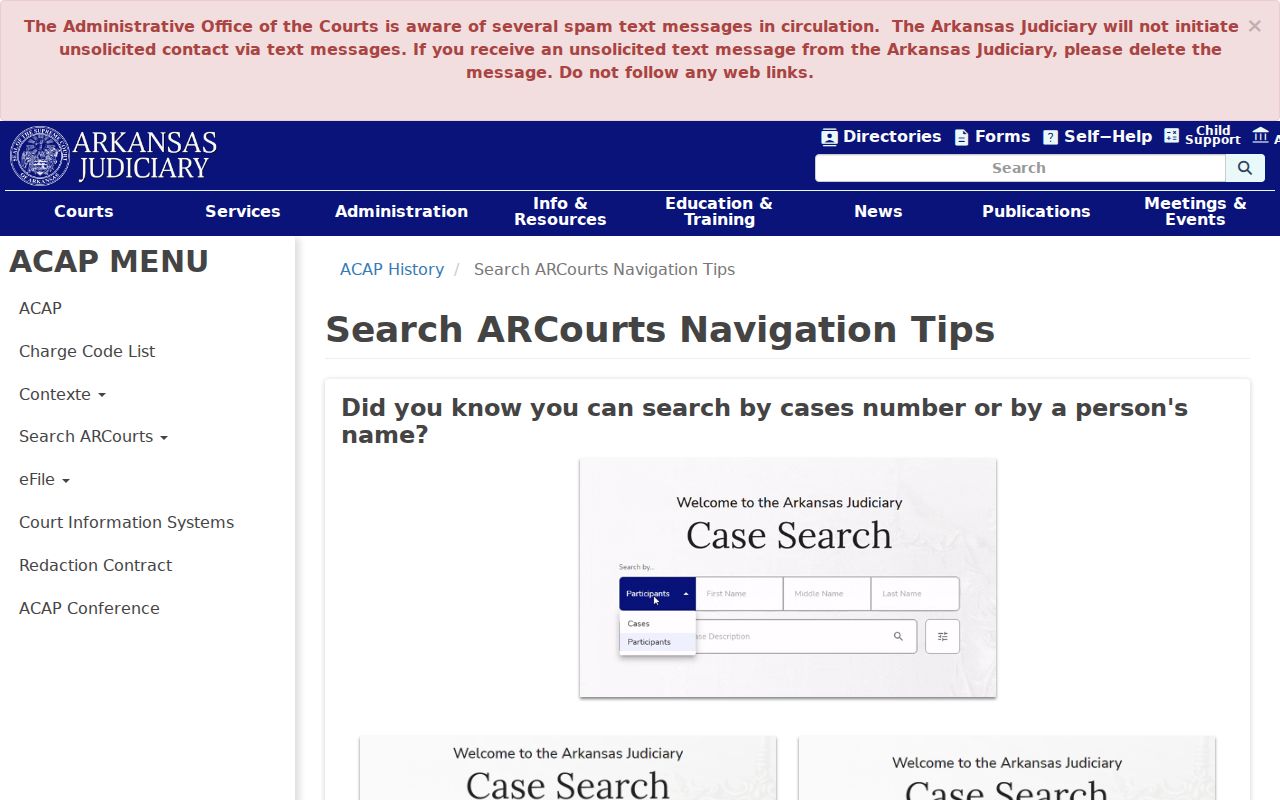
The controls point to one simple method for a docket search. Lead with the strongest identifier you have. Then layer on the St. Francis County filters rather than stacking every limit at once. Piling on restrictions too early can bury the very case you need. When an exact query comes up empty, drop a date or status filter. Loosen the spelling too. Check the other court level as well. Only then decide the court record simply is not there.
Searching by Case Number
Nothing beats a case number for a St. Francis County case lookup. Pull it straight off your summons, citation, notice, judgment, or any filed page. Keep the punctuation exactly as printed. Use the complete case number as printed. St. Francis County courts do not follow one public numbering pattern. None fits every Circuit and District Court category. A guessed code will only mislead you. The paper in your hand is the authority.
No result? Check every character first. Then switch to a participant search or confirm you picked the right filing court. Some moves complicate things. A district appeal can land in Circuit Court under a fresh number. A transfer may point elsewhere. Consolidated cases keep one lead case. Hang onto every linked number as your docket search moves along. That thread is how you stay on the right court record.
St. Francis Same-Name Results
A statewide participant search will happily hand you people with similar names. That alone proves nothing. Before you trust any match, check the county and the court level. Then check the case number, the case style, the filing date, the case type, and each participant role. Roles matter more than you might think. The same person can be a defendant in one matter and a plaintiff in another. A common name can pop up in several counties at once.
Spell the name exactly first. If the case still hides, trim your search terms instead of guessing at new ones. A known filing year or a court location narrows a St. Francis County court docket fast. For a business, try the caption wording from the court paper itself. When a likely case shows up, open it. Confirm the assigned judge, the parties, and the full event history. Write down the date you ran the docket search. Case status and future settings change.
Match the record, not just the name: County, court, number, type, and filing date should agree before a St. Francis County case search result is treated as the intended case.
What a Case Search Returns
One match row can open into a detailed case display. A St. Francis County case lookup record typically groups the matter into a header, participant roles, attorneys, case events, future settings, outcomes, and any authorized images. Criminal cases go further. They may list charges, pleas, sentences, bond, and assessments. Civil docket entries can add service details, the claim category, the judgment, and post-judgment activity.
| Case Number | The filing court's unique identifier and the best cross-check for future searches. |
|---|---|
| Court and Location | Shows whether the case belongs to Circuit Court or a District Court department. |
| Style and Participants | The case caption plus names and roles that are public. |
| Filed Date and Type | When the case began and its assigned category. |
| Status | A broad current label that must be read with the event and outcome history. |
| Events and Settings | Dated filings, orders, hearings, administrative actions, and future calendar items. |
| Documents | Links only for images available and authorized for remote public access. |
Remember, a visible event is just an index entry. It is not the full filing, so when you need proof, get the document or a certified copy straight from the clerk.
St. Francis Missing Search Results
A blank result does not mean the case is gone. Typos sink a lot of searches. Filters set too tight cause the same problem. So does a case filed at the other court level. A record may still live only in an older paper index. Sealed and protected case types stay hidden too. Some gaps come down to system coverage. Broaden the docket search instead of giving up. Drop the filters. Try both a participant lookup and a case-number approach. Then run the name against Circuit Court and District Court alike.
When the online docket still comes up empty, call the clerk. The Circuit Clerk answers at 870-261-1715, takes mail at P.O. Box 1775, Forrest City, AR 72336-1775, and handles fax procedure questions at 870-261-1723. District Court uses 870-261-1410 for Forrest City and Palestine, and 870-633-2172 for Madison. Ask whether older court records sit in archive, docket-book, or microfilm indexes. If a case is restricted, ask the clerk what identification or authorization unlocks access.
One more route exists. The AOC's compiled-data request process covers bulk or compiled information under Administrative Order 19. For a single St. Francis County case or one order, the clerk is the better door. The same goes for one order alone.
Statewide vs County Case Search
No separate local portal gives St. Francis County deeper public case fields than Search ARCourts. That leaves two channels. The statewide discovery layer works for quick lookups; the local clerk's office works for certified copies and fuller court records. Each does a job the other cannot.
| Search ARCourts | St. Francis County Clerk Channel |
|---|---|
| Searches public information from participating Arkansas courts. | Locates the official local file for the assigned court. |
| Best for names, case numbers, case events, and available images. | Best for missing images, older records, counter inspection, and copy orders. |
| Free, remote, and mobile-oriented. | Available by the documented counter, phone, mail, and procedure channels. |
| Does not certify a record. | Can issue an authenticated copy when available and requested. |
Start a case search with the statewide portal, then turn to the local clerk. That office holds the actual file, so it answers questions a screen cannot. District cases work the same way, as long as you ask the right department.
St. Francis Portal Transition
Search ARCourts started replacing Public CourtConnect in 2024. The newer portal brought a mobile-friendly design and fresher filters. The AOC left the legacy environment running. The migration rolled out in stages. The official transition notice spells out what changed and why.
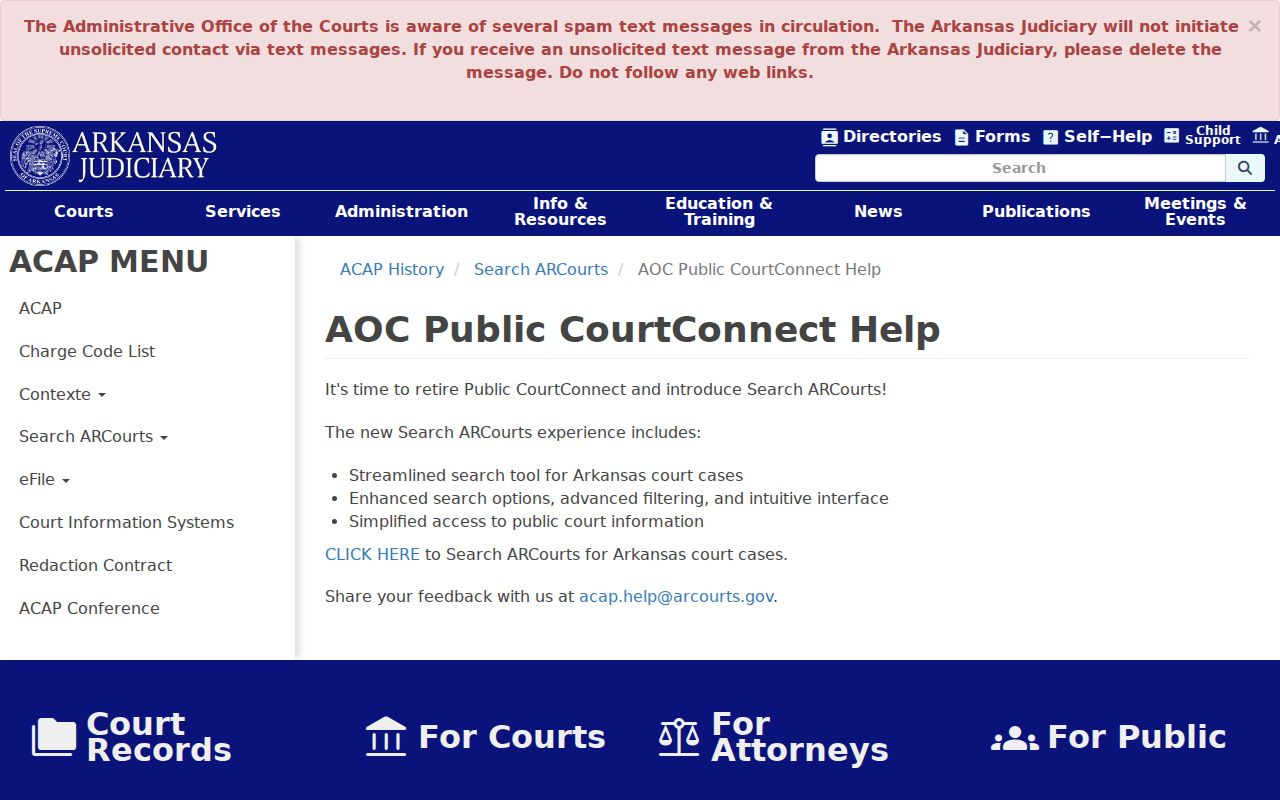
St. Francis County searches should begin at the modern case information address. Treat the legacy portal as background only. A transition notice explains the move. The newer system is the preferred route for a current court docket lookup. The older Public CourtConnect interface still documents how Contexte behaved in earlier years.
The older screen simply illustrates a technology shift. It is not a separate source of certified St. Francis County court records.
St. Francis Images and Certification
A public document image, when one is available, may open in a new window. The AOC offers Safari pop-up troubleshooting for a reason. A blocked window can masquerade as a missing document. Let the official case system open its public link first. If no image link appears, resist guessing. The paper may be undigitized, restricted remotely, or simply not enabled for public display.
An on-screen page is not a certified record. When you need a filed order, give the clerk the case number. Include the event date and the document title. Ask the custodian to quote page and authentication charges. Also ask about accepted payment, processing time, and mailing needs. No public fee sheet for St. Francis County certified copies exists online. Call before sending money. The St. Francis County court records process covers the document layer in more depth.
Before ordering anything, ask whether inspection at the counter answers the question. A plain copy differs from a clerk-certified copy, and the difference matters. Bring an approximate year and the party's spelling. Staff can then check paper indexes, docket books, archives, or microfilm for an older St. Francis County case. A phone call can confirm the right record office and the correct request method. It cannot authenticate the case event or the document itself. A mailed request should carry a return address. Add a contact number too. Hold payment until the clerk states the total and the accepted method.
Access and Restricted Cases
Administrative Order 19 governs Arkansas court-record access and separates courthouse access from remote access. Administrative Order 19.1 controls redaction of protected information. Social Security numbers, account numbers, sealed filings, confidential juvenile material, and similar protected data stay hidden from an ordinary public user.
Sealing is a legal status. It cannot be bypassed like a filter. If lawful access may exist through party status or a court order, contact the clerk. A missing result in a St. Francis County case search does not by itself prove sealing, so check spelling, date range, court level, and archived records first. The public record helps you follow a case, find a hearing, and understand filed events, but the originating clerk holds the authoritative file.